Social scheduling comparison · Reviewed November 12, 2026
Later vs Hootsuite vs The Social Scheduler
These products overlap in planning and publishing, but their workflows serve different needs. Compare Later’s visual planning, Hootsuite’s broader social operations, and The Social Scheduler’s brief-to-content workflow against the work your team needs to finish.
Compare the workflow, not just the calendar
| Workflow question | Later | Hootsuite | The Social Scheduler |
|---|---|---|---|
| Planning focus | Visual planner, drafts, and profile-based scheduling | Social content planning and scheduling with inbox and reporting tools | Campaign calendar connected to draft creation and publishing |
| Content creation | Caption Writer and ideas use plan-based AI credits | AI creation features vary by current plan | Generate social, blog, email, image, and reel drafts from a brief; Fire Credit allowances apply |
| Analytics and engagement | Analytics depth varies by plan; higher tiers add more reporting and social features | Plans include a unified inbox and analytics; capabilities expand by tier | Publishing and content workflow tools; evaluate specialist inbox and listening needs separately |
| Good fit when | Visual planning and social profile management are central | Your team needs a broader social management suite | Producing and reviewing multiple content formats takes more time than scheduling |
Feature availability, plan limits, and prices change. Confirm the exact plan against your channels, seats, and required workflow.
When Later may fit better
Consider Later when visual planning and profile-by-profile scheduling shape your day. Its official plan information describes a visual planner, saved captions, AI caption and idea tools, and personalized posting-time features. Check how the plan’s profile, post, and AI credit limits match your publishing calendar.
When Hootsuite may fit better
Consider Hootsuite when your team needs scheduling alongside a unified inbox, analytics, reporting, or social listening. Hootsuite’s official plans describe tiered capabilities and per-user seats, so compare the complete team cost and the collaboration functions you require.
When The Social Scheduler may fit better
Consider The Social Scheduler when the bottleneck is creating enough useful content. Start with a campaign brief, generate drafts for multiple formats, review each version, and schedule to connected destinations. AI generation uses Fire Credits, and publishing requires connected accounts.
Sources and editorial disclosure
This is The Social Scheduler’s editorial comparison. We used the vendors’ official plan pages for feature descriptions checked November 12, 2026. It is not an independent benchmark, and this page’s publisher is included in the comparison. Confirm current features and pricing with each vendor.
Put this guide into practice
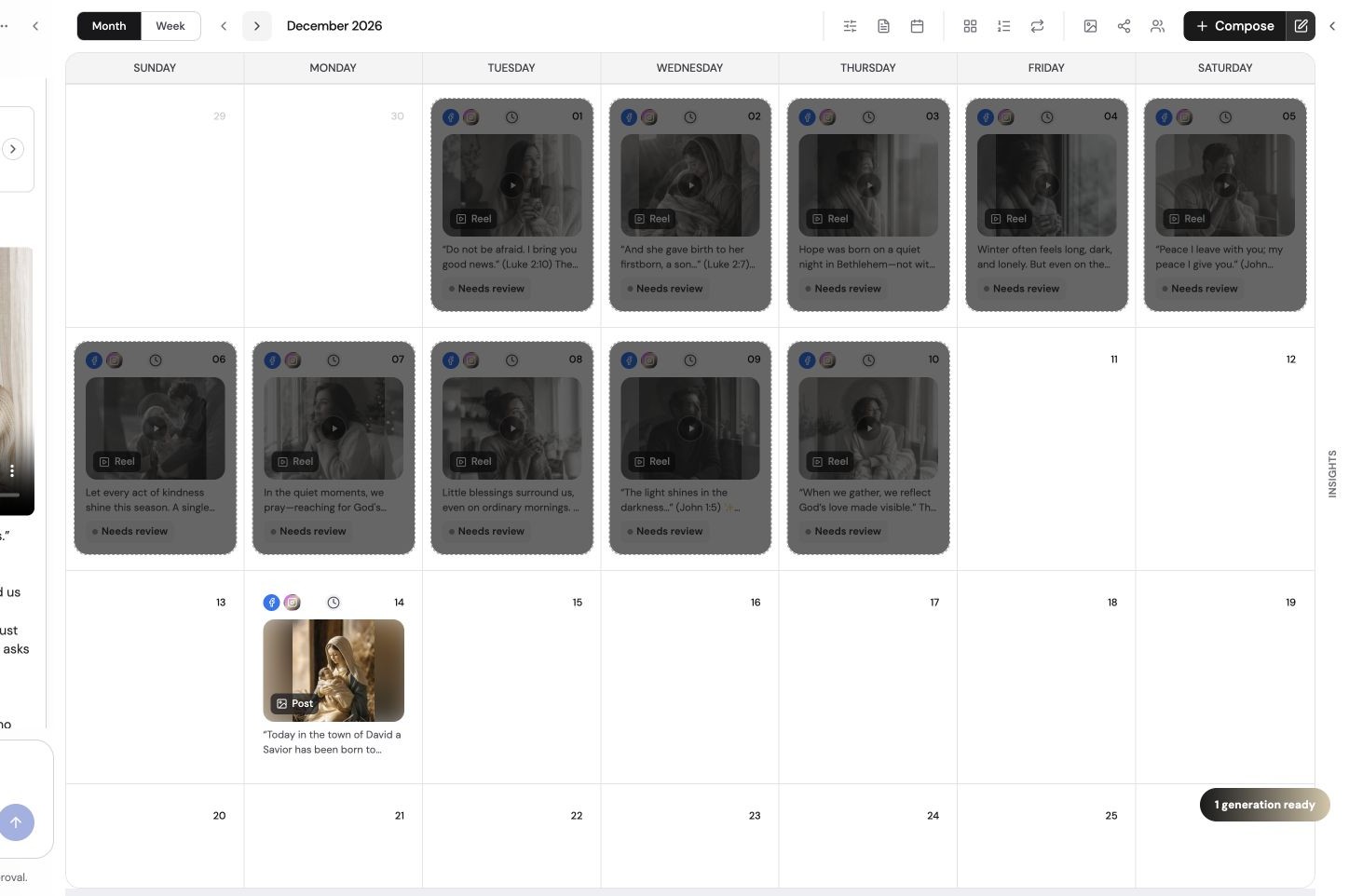
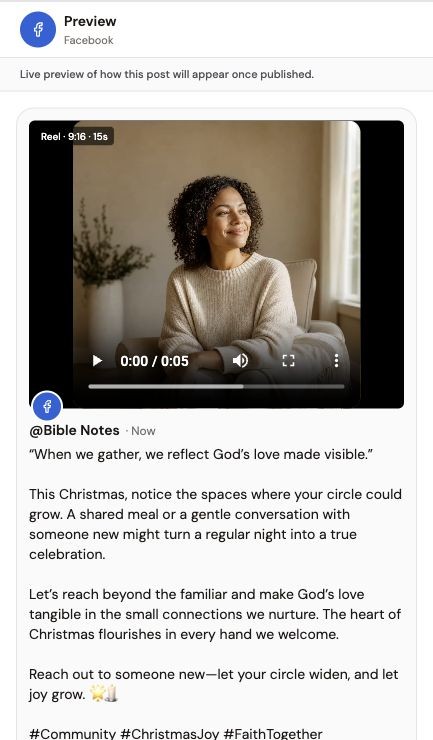
Use the same brief and publishing requirements when comparing tools. The examples below show The Social Scheduler only, not competitor interfaces or a measured head-to-head test.
- 01
Plan the campaign
Specify your audience, topic, destinations and must-haves. Prepare drafts first; connecting an account is only required when you publish or schedule.
- 02
Review and refine
Check factual claims, links, imagery and each destination’s copy. Manual image edits are free; AI generation and AI edits use Fire Credits after confirmation.
- 03
Approve the final version
Confirm the media and caption, connect publishing accounts and select future times. Apply finished reel renders before scheduling changed videos.
See the content workflow
A product overview of briefing, reviewing and scheduling content in The Social Scheduler.
Written walkthrough summary
The overview introduces The Social Scheduler’s brief-to-content process, followed by draft review and calendar planning. It is supporting product context, not a tutorial for every feature discussed in this article. Review facts and destination settings before publishing; AI usage is metered, not unlimited.
References and further reading
Published by The Social Scheduler. Product examples illustrate our own workflow. Recommendations are editorial opinions, not independent customer ratings. Check current vendor documentation for pricing, platform rules and feature availability. Links below are supporting references, not a claim that every statement in this article has been independently tested.
Try a brief-to-calendar workflow
Prepare a small campaign, review the drafts, then decide whether the workflow fits.
7-day free trial; plan and credit allowances apply.