Everything in one calendar
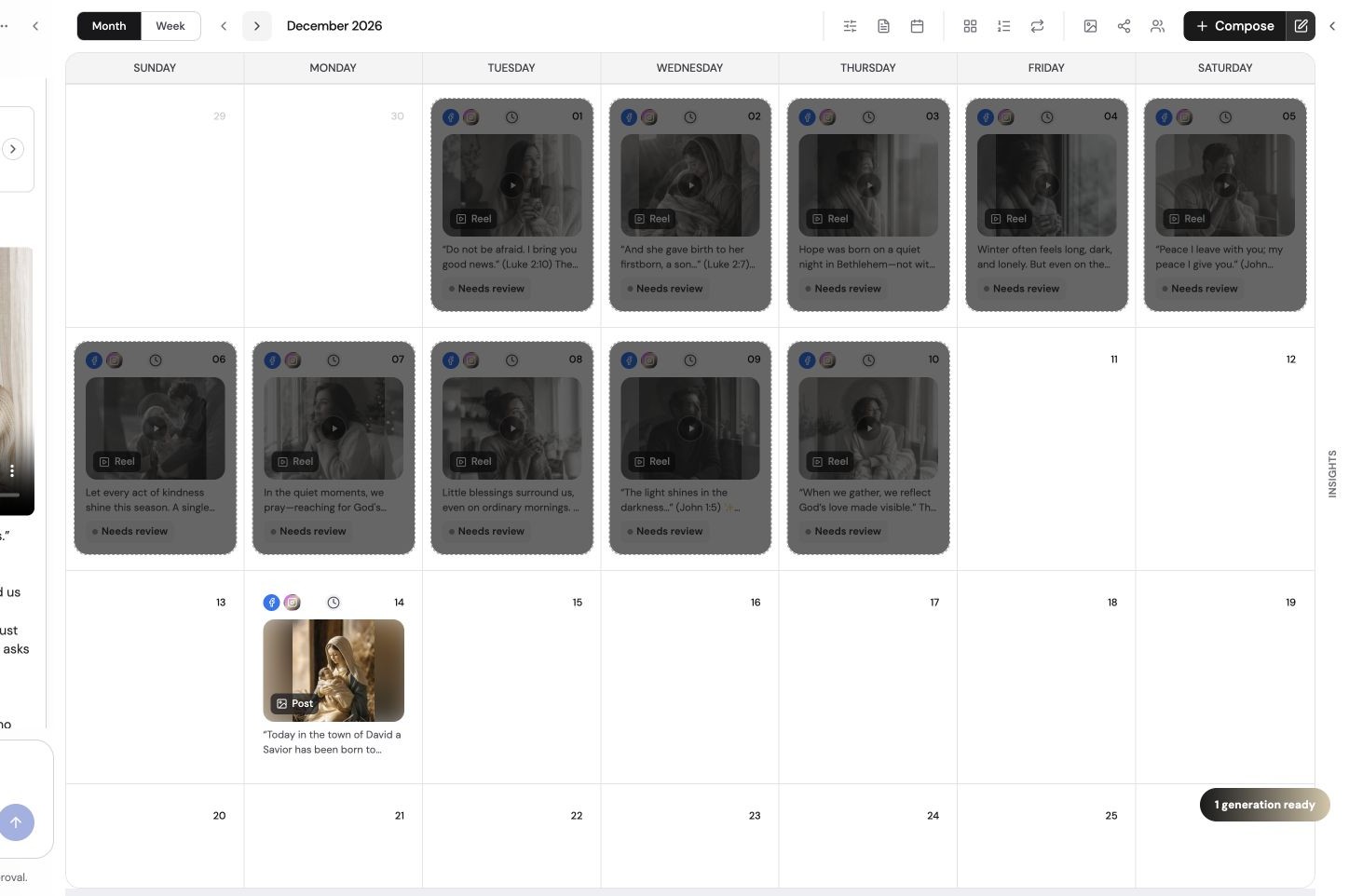
See every scheduled post, blog article and email for a brand on a single month, week or day view. Drag to reschedule, open any post to edit it, and spot gaps before they happen.
- Unified calendar for social, blog and email
- Recurring schedules that generate posts ahead of time
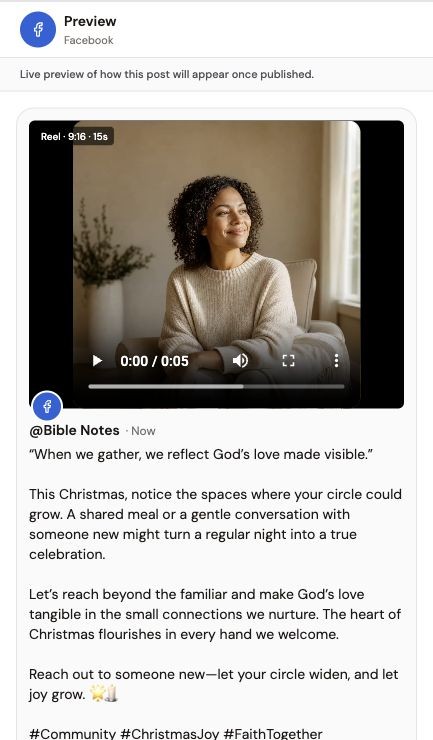
- Per-platform previews so each post looks right where it lands
Create without leaving the dashboard
Ask for a week of posts in chat. The Social Scheduler reads your website and brand voice, plans the topics, and produces captions, images and reels. Fine-tune images in Image Studio and cut reels in Reel Studio — manual editing is always free.
Built for agencies and multi-brand teams
Keep each client separate with its own workspace, connected accounts and brand style. Invite teammates, and turn on an approval step so nothing publishes until an admin signs off.
- Unlimited workspaces on the Agency plan
- Team roles and optional approval before publishing
- Brand voice and visual style learned per workspace
Post at the right time
Schedule in your audience's time zone. Not sure when? Our free best-time-to-post guide gives you a starting point for every platform and industry.
Dashboard vs juggling native apps
| Task | Native apps | Typical dashboard | The Social Scheduler |
|---|---|---|---|
| See all accounts in one calendar | No | Yes | Yes |
| Schedule to every platform | One at a time | Yes | Yes |
| Write posts with AI from your brand | No | Basic | Yes |
| Generate images and reels | No | No | Yes |
| Publish blogs and email too | No | Rarely | Yes |
| Separate workspaces per client | No | Paid tiers | Agency plan, unlimited |
Put this guide into practice
Use these steps alongside the advice above. The screenshots show an example Social Scheduler workspace, not results from your account.
- 01
Plan the campaign
Specify your audience, topic, destinations and must-haves. Prepare drafts first; connecting an account is only required when you publish or schedule.
- 02
Review and refine
Check factual claims, links, imagery and each destination’s copy. Manual image edits are free; AI generation and AI edits use Fire Credits after confirmation.
- 03
Approve the final version
Confirm the media and caption, connect publishing accounts and select future times. Apply finished reel renders before scheduling changed videos.
See the content workflow
A product overview of briefing, reviewing and scheduling content in The Social Scheduler.
Written walkthrough summary
The overview introduces The Social Scheduler’s brief-to-content process, followed by draft review and calendar planning. It is supporting product context, not a tutorial for every feature discussed in this article. Review facts and destination settings before publishing; AI usage is metered, not unlimited.
References and further reading
Published by The Social Scheduler. Product examples illustrate our own workflow. Check current vendor documentation for pricing, platform rules and feature availability. Links below are supporting references, not a claim that every statement in this article has been independently tested.
Frequently asked questions
What is a social media dashboard?
A social media dashboard is one place to plan, create, schedule and track posts across all your accounts, instead of logging into Instagram, LinkedIn, Facebook and X separately.
Can I manage several brands or clients?
Yes. Each brand gets its own workspace with its own connected accounts, brand voice and calendar. The Agency plan ($69/mo) includes unlimited workspaces.
Which platforms does the dashboard connect to?
Instagram, Facebook Pages, LinkedIn, X and YouTube, plus blogs on WordPress, Wix and Shopify, and email through Mailchimp.
Does it create content or only schedule it?
Both. Describe what you want in chat and The Social Scheduler writes the posts, designs images and builds reels, then you edit and approve them before they go out.
How much does it cost?
There's a 7-day free trial (card required). After that, Premium is $30/mo and Agency is $69/mo.