Quick answer
Vertical video: 1080 × 1920 (9:16) for Reels, TikTok, Shorts and Stories. Feed images: 1080 × 1350 (4:5). Link previews: 1200 × 630.
Instagram sizes
| Format | Pixels | Ratio |
|---|---|---|
| Feed post (portrait, recommended) | 1080 × 1350 | 4:5 |
| Feed post (square) | 1080 × 1080 | 1:1 |
| Feed post (landscape) | 1080 × 566 | 1.91:1 |
| Reels & Stories | 1080 × 1920 | 9:16 |
| Profile photo | 320 × 320 | 1:1 |
TikTok sizes
| Format | Pixels | Ratio |
|---|---|---|
| Video | 1080 × 1920 | 9:16 |
| Profile photo | 200 × 200 | 1:1 |
YouTube sizes
| Format | Pixels | Ratio |
|---|---|---|
| Shorts | 1080 × 1920 | 9:16 |
| Standard video | 1920 × 1080 | 16:9 |
| Thumbnail | 1280 × 720 | 16:9 |
| Channel banner | 2560 × 1440 | 16:9 |
Facebook sizes
| Format | Pixels | Ratio |
|---|---|---|
| Feed image (portrait) | 1080 × 1350 | 4:5 |
| Link preview image | 1200 × 630 | 1.91:1 |
| Reels & Stories | 1080 × 1920 | 9:16 |
| Page cover photo | 851 × 315 | 2.7:1 |
LinkedIn sizes
| Format | Pixels | Ratio |
|---|---|---|
| Feed image (landscape) | 1200 × 627 | 1.91:1 |
| Feed image (square) | 1080 × 1080 | 1:1 |
| Video (vertical) | 1080 × 1920 | 9:16 |
| Company page cover | 1128 × 191 | 5.9:1 |
X (Twitter) sizes
| Format | Pixels | Ratio |
|---|---|---|
| In-feed image | 1600 × 900 | 16:9 |
| Header photo | 1500 × 500 | 3:1 |
| Profile photo | 400 × 400 | 1:1 |
Pinterest sizes
| Format | Pixels | Ratio |
|---|---|---|
| Standard pin | 1000 × 1500 | 2:3 |
| Video pin | 1080 × 1920 | 9:16 |
Resize once, post everywhere
The Social Scheduler’s free Image Studio exports these sizes, and AI creates posts already formatted for each platform.
Start 7-day trialPut this guide into practice
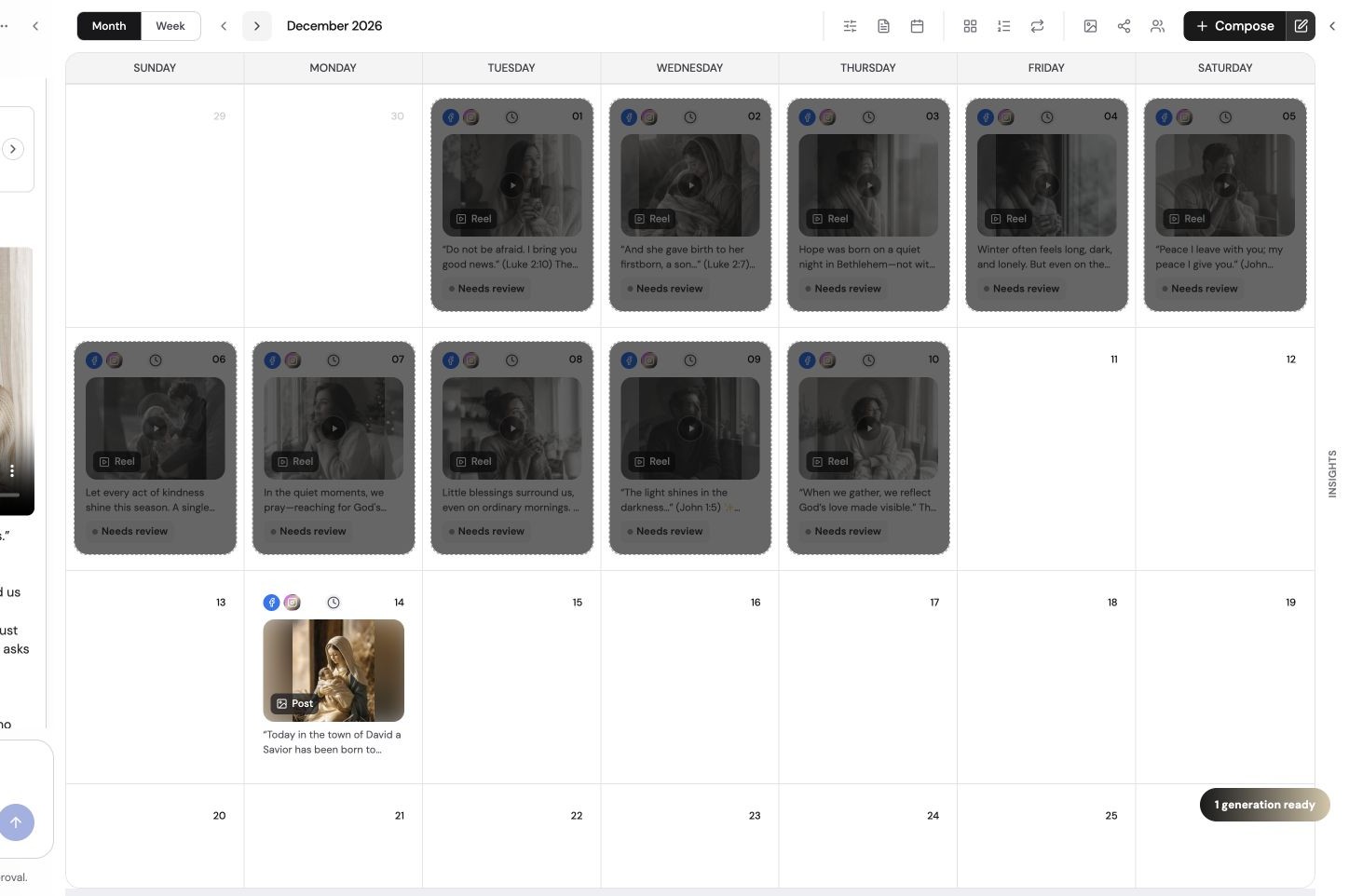
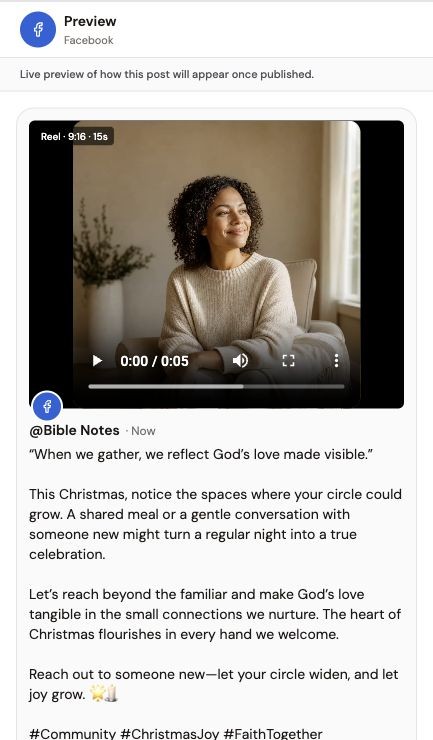
Use these steps alongside the advice above. The screenshots show an example Social Scheduler workspace, not results from your account.
- 01
Choose the destination format
Decide whether this is a feed image, Story or vertical video before editing. Check the destination’s current specifications.
- 02
Check the composition
Keep important text and faces away from interface controls and cropping edges. Preview each destination rather than assuming one crop fits all.
- 03
Review before publishing
Check the exported dimensions, caption and destination preview together before scheduling the post.
See the content workflow
A product overview of briefing, reviewing and scheduling content in The Social Scheduler.
Written walkthrough summary
The overview introduces The Social Scheduler’s brief-to-content process, followed by draft review and calendar planning. It is supporting product context, not a tutorial for every feature discussed in this article. Review facts and destination settings before publishing; AI usage is metered, not unlimited.
References and further reading
Published by The Social Scheduler. Product examples illustrate our own workflow. Check current vendor documentation for pricing, platform rules and feature availability. Links below are supporting references, not a claim that every statement in this article has been independently tested.
Questions
What is the best Instagram aspect ratio?
4:5 portrait (1080 × 1350) takes up the most room in the feed. Reels and Stories use 9:16 (1080 × 1920).
What size is a TikTok video?
1080 × 1920 pixels, a 9:16 vertical ratio. Keep text away from the bottom and right edges, where buttons and captions sit.
What are YouTube Shorts dimensions?
1080 × 1920 pixels (9:16). Shorts can be up to 3 minutes long.
Can I use one size for every platform?
Mostly. A 1080 × 1920 vertical video works for Reels, TikTok, Shorts and Stories, and a 1080 × 1350 image works in Instagram, Facebook and LinkedIn feeds.
Related: Character counter · Best time to post